
Connection challenge
Remember connections, not just facts
Why was Michael Collins essential even though he never walked on the Moon?
Features
A place for the history you discover, the connections you make and the understanding you want to keep. AI helps you explore with suggested connections and review questions. You choose what to explore and what belongs in your graph.
View feature overviewCapture
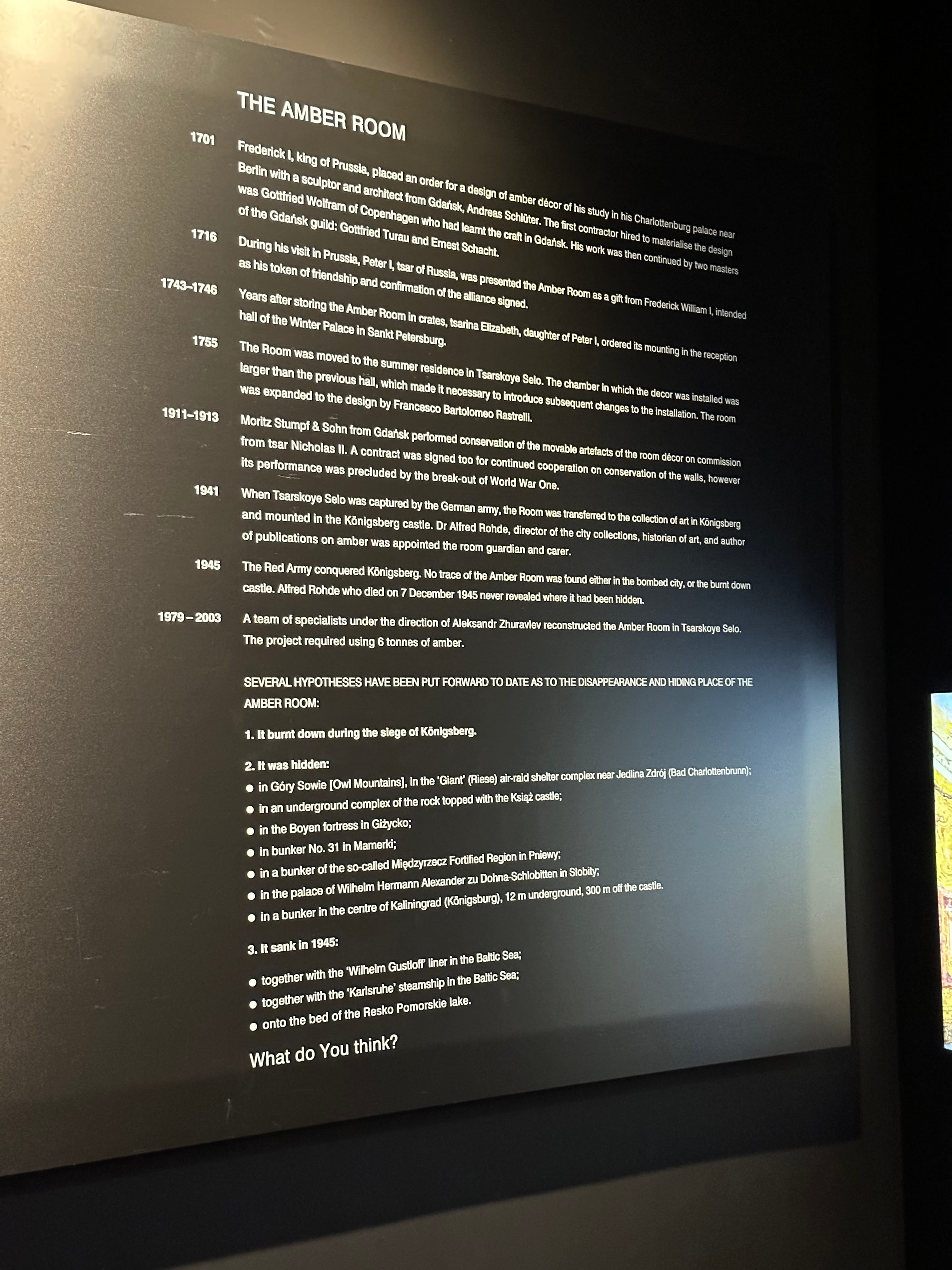
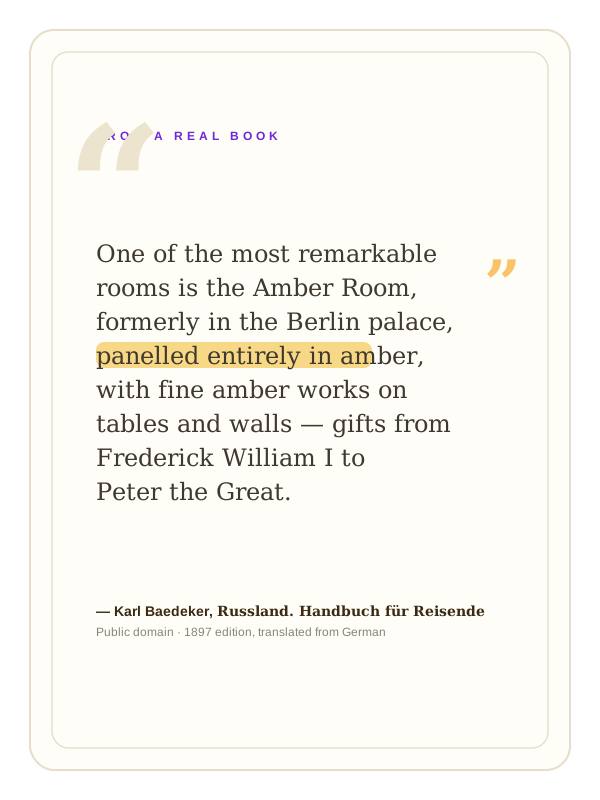
Start with a museum label, a page from a travel guide, a novel, a video, a podcast, or an article you found online. Add a photo, text excerpt, or link, then review the people, places, and ideas Aristotree finds and connects.


Connect
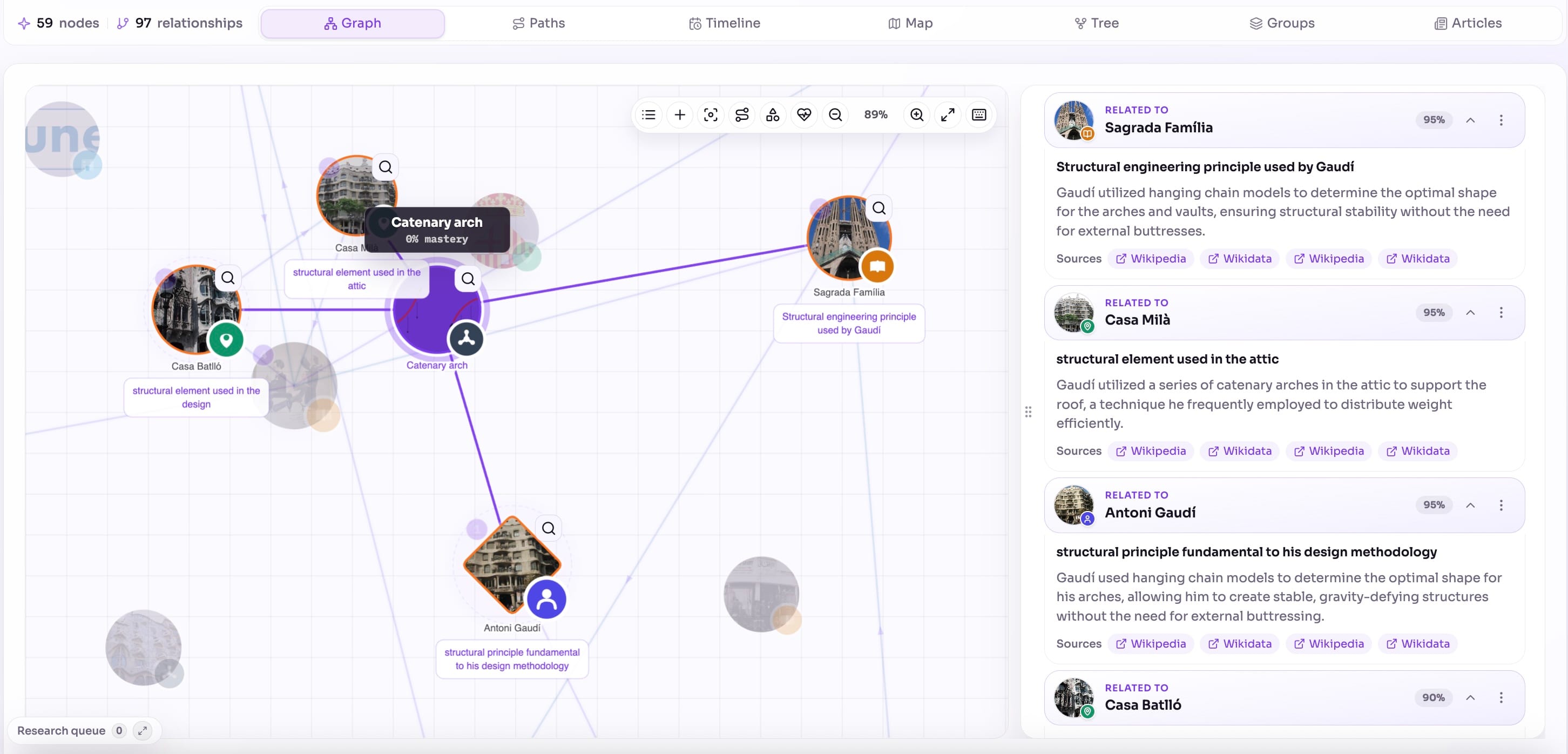
A museum visit can lead from the Rosetta Stone to Napoleon's campaign in Egypt, hieroglyphs and the race to read them. Follow the connections and build a history that reflects your curiosity.

History in context
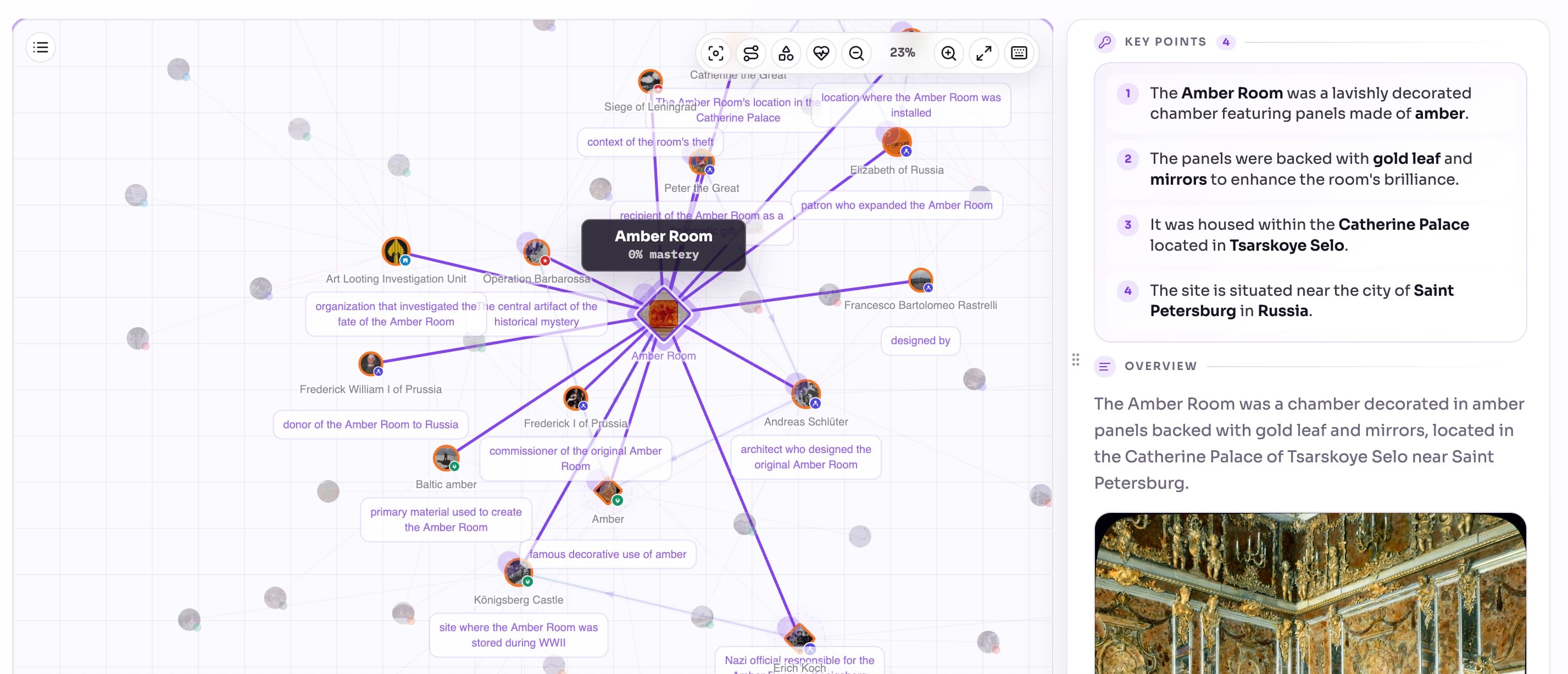
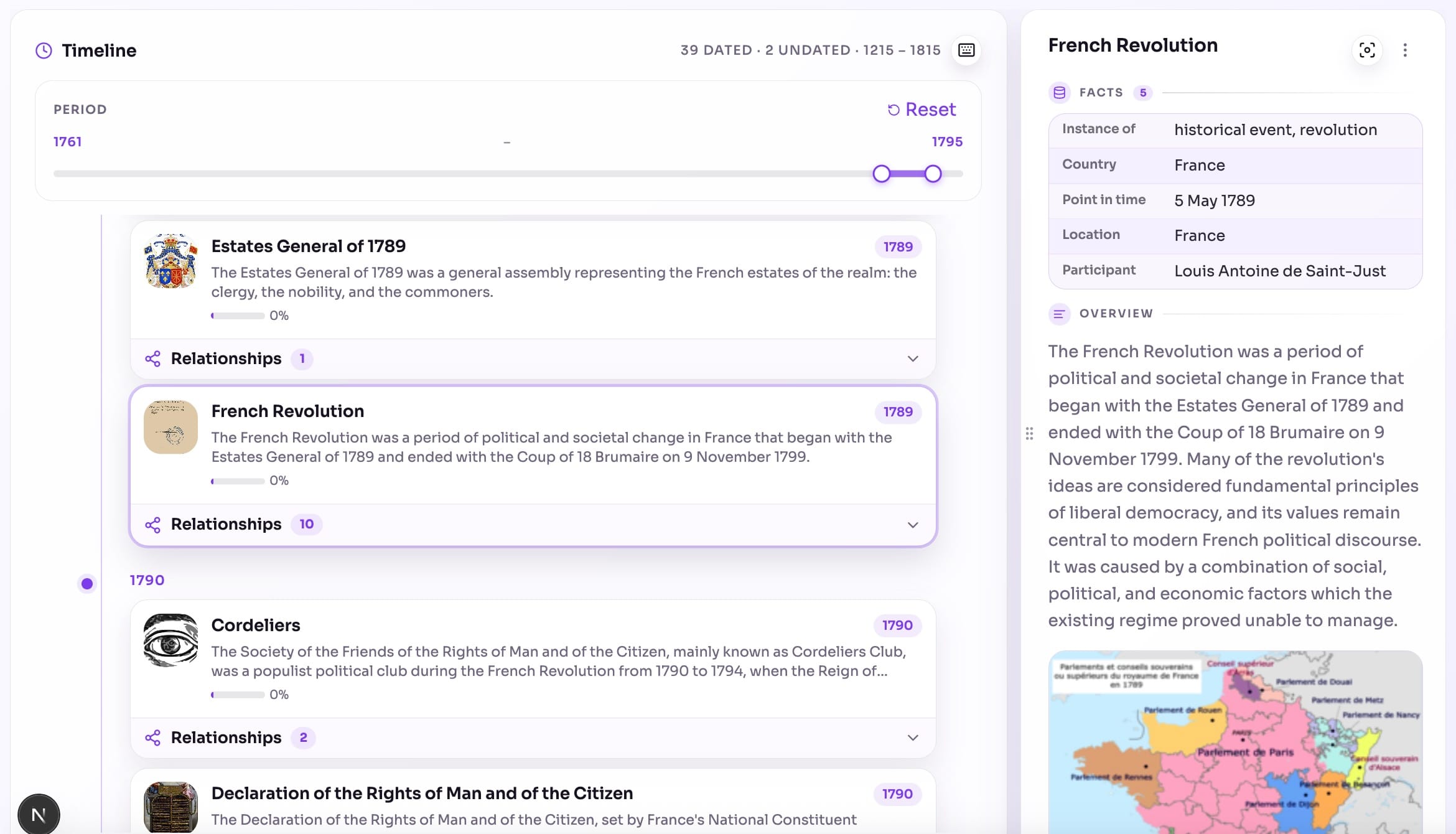
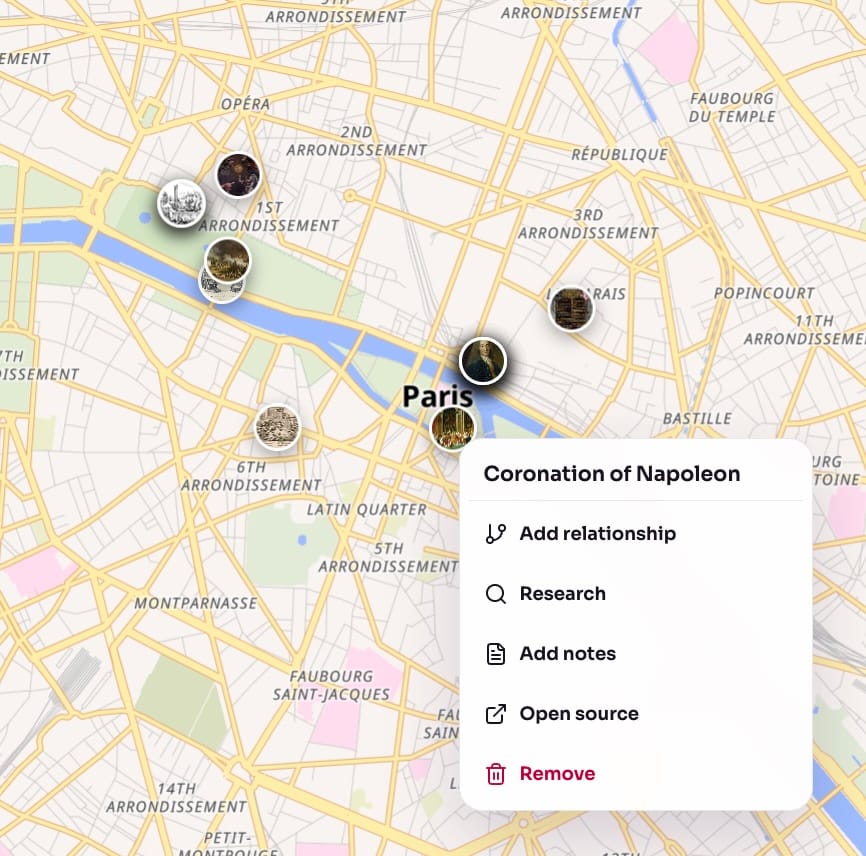
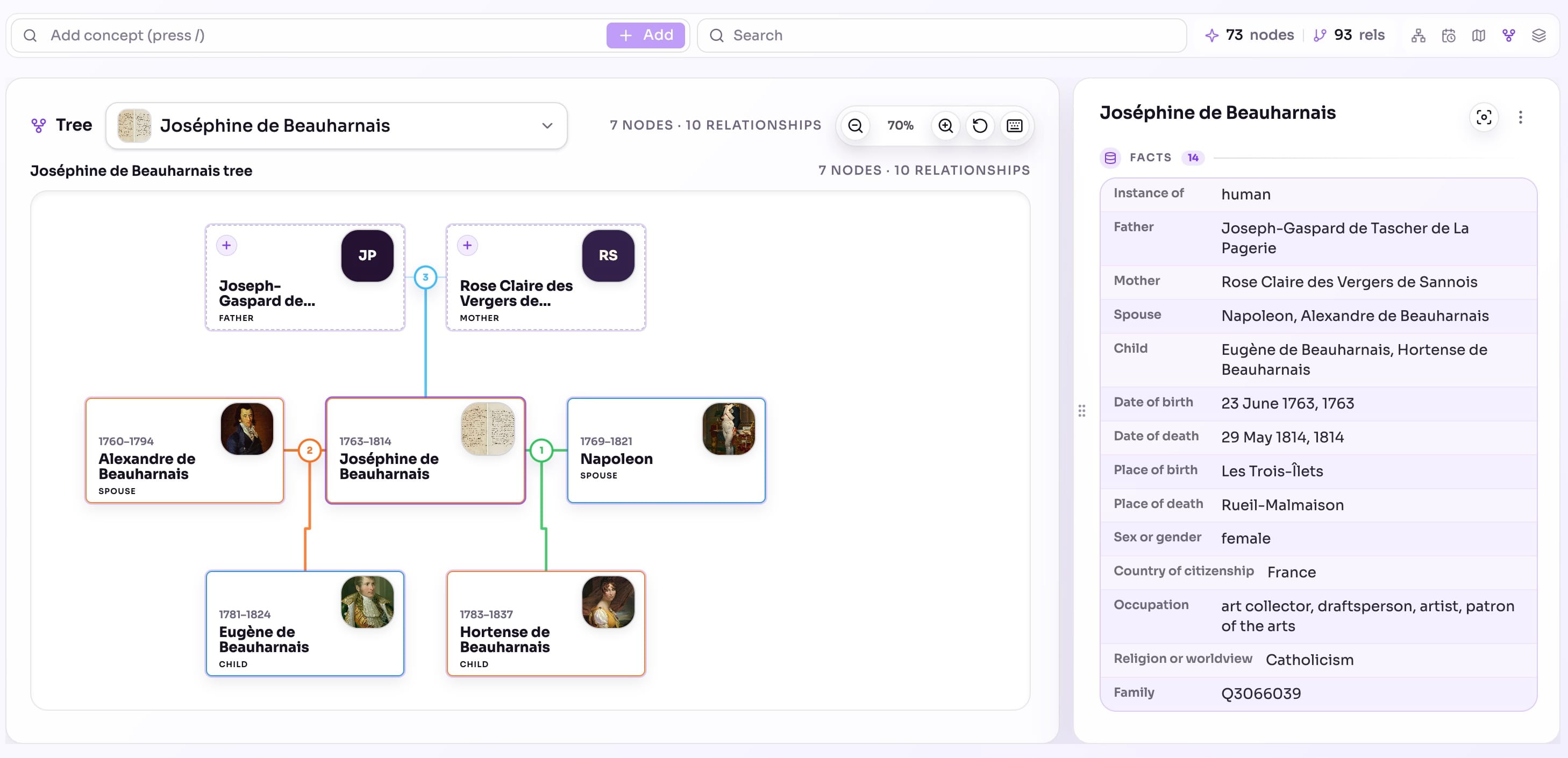
Move between your history map, timeline, geographic map and tree view. They bring the same discoveries into focus from different perspectives.


Follow the story
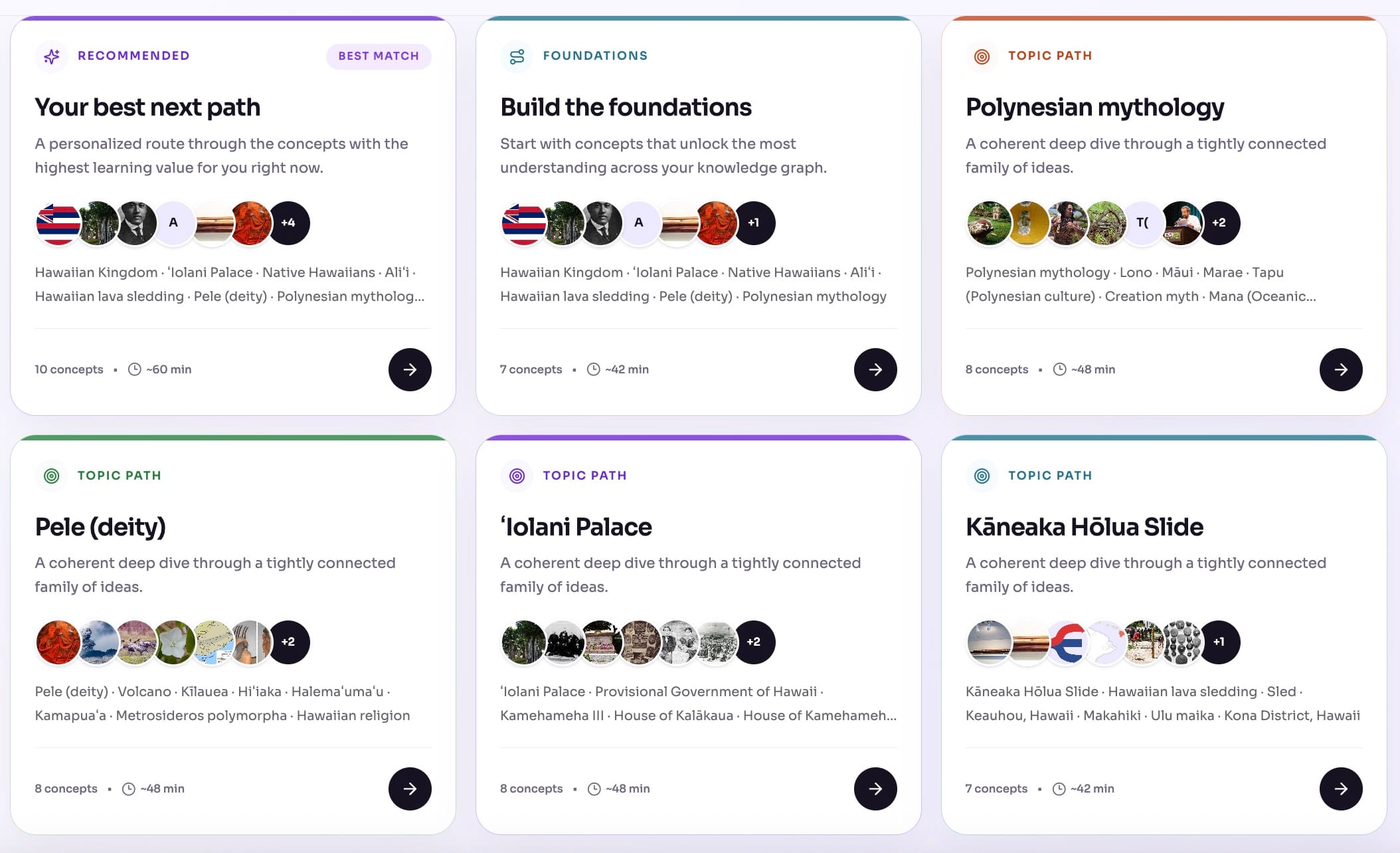
No more wandering your map without direction. Aristotree looks at your history and suggests what to explore next: the foundations first — the emperor before his battles — then what builds on them. As you keep discovering, the route updates itself and takes you deeper into your story.

Remember
Aristotree remembers what you’ve learned, what you’ve revisited, and which connections are starting to fade — then plans the right moments to bring them back.
Connection challenge
Why was Michael Collins essential even though he never walked on the Moon?
Mastery
Recently earned
Build and explore historical episodes, then practice what you learn.
| Feature | What you can do |
|---|---|
| Build and connect | |
| Extend your knowledge | Use AI to research an item, discover related people, places, events, and ideas, and suggest what to explore next. Review the sources and choose what to add. Example: Start with the Rosetta Stone, then explore hieroglyphs and Napoleon’s campaign in Egypt. |
| Add, edit, and remove concepts | Add your own concepts and pictures, edit AI-generated descriptions and details, or remove concepts you do not want to study. You decide what belongs in your episode. Example: Correct a date, upload a museum photo, or remove an unrelated suggestion. |
| Create relationships | Ask AI to find connections and explain how concepts relate, or add a relationship manually. Edit its label, direction, explanation, and supporting sources. Example: Connect Caesar to Pompey and explain how their alliance became a rivalry. |
| Articles | Choose concepts, communities, or paths and ask AI to turn them into an article. Read the connections as a narrative rather than as separate nodes. Example: Select Caesar, Pompey, and Crassus for an article about the First Triumvirate. |
| Communities | Automatically group closely connected concepts so you can see the main clusters within an episode and study one group at a time. Example: See clusters around political figures, campaigns, or family relationships. |
| Paths | Find an ordered route through connected concepts. A path helps you follow a story when the graph becomes too large to browse one node at a time. Example: Follow a route from the Roman Republic to Caesar’s rise to power. |
| Graph health | Find disconnected concepts, weak connections between groups, missing summaries or sources, and bottlenecks. Use the suggestions to improve how your graph fits together. Example: Spot an isolated battle and connect it to the people and places involved. |
| Add sources | |
| Image sources | Upload a photograph and let AI identify the concepts it contains. Review the suggestions before adding them to your graph. Example: Photograph a museum label and extract its people, places, and objects. |
| Text sources | Paste a passage or note and extract the historical concepts and relationships it mentions. Example: Copy a paragraph about Caesar and review the suggested concepts. |
| YouTube sources | Paste a YouTube link. Aristotree uses the available transcript to find concepts and connections you can add to your episode. Example: Turn a documentary about ancient Egypt into a set of concepts to study. |
| Podcast sources | Paste a podcast transcript to find the people, places, events, and ideas discussed. Example: Extract concepts from a podcast episode about the fall of Rome. |
| Book sources | Search for a book title and select the matching book. AI uses its catalog information to suggest historical concepts and connections; you can also add passages as text sources. Example: Start with The First Man in Rome, then add a passage you want to explore further. |
| URL sources | Add a webpage link and extract concepts from the readable text. Keep the page as a source for the concepts you accept. Example: Add an article about the Amber Room and review the places and people it mentions. |
| Topic sources | Describe a broad subject or a specific question. AI finds relevant historical concepts and suggests relationships to help you start an episode. Example: Try “Ancient Rome” or “How did Caesar and Pompey’s alliance collapse?” |
| Source history | See the sources analyzed in an episode and the concepts they contributed. Check the references attached to researched concepts and relationships to understand where the information came from. Example: Open a museum photo’s source record and see which concepts you added from it. |
| See history in context | |
| Timeline | View concepts with dates or periods in chronological order. Compare lifetimes and events to see what happened before, after, or at the same time. Example: Place Caesar and Pompey’s lives alongside the events in their episode. |
| Map | View concepts with locations on a map. Combine the map with the timeline to filter by year or play through time and see which dated places and events appear. Example: Compare the places in your episode as you advance through its years. |
| Family tree | View people and their recorded family relationships as a genealogical tree. Research can add family connections; you can also create or correct them yourself. Example: Check a ruler’s parents, partners, and children without retracing the whole graph. |
| Learn and remember | |
| Challenges | Create trivia challenges from the concepts in your episode. Test your knowledge of people, dates, events, and connections, then check the explanations. Example: Create an Ancient Rome quiz and see which connections you remember. |
| Tasks | Building a graph is only the beginning. Get a list of learning tasks based on your activity and progress, including reviews, reading, and research, to help what you learn stay with you. Example: Revisit a missed question, read an article, or research an item that needs more context. |
| Statistics | Track your learning activity, review accuracy, and mastery. See which topics you know well and which need more practice. Example: Check your results after a challenge and choose what to review next. |
| Badges | Earn badges as you learn, build connections, and reach milestones. Keep a record of your progress beyond individual quiz scores. Example: Earn a badge as you reach a learning milestone. |
| Your episodes and network | |
| Network | Follow public historical episodes created by other users. See new concepts and articles in your activity feed, and use followed episodes for your own learning. Example: Follow an episode about ancient Egypt and explore its latest additions. |
| Public and private episodes | Keep an episode private for your own study, or make it public so the community can explore and follow it. Example: Keep reading notes private and publish a graph from a museum visit. |
| Fork episodes | Make a private copy of another user’s public episode, with credit to its creator. The copy is yours to edit and extend independently. Example: Copy an episode about Rome and expand the parts about everyday life. |
| Episode languages | Set a language for each episode to guide new AI research and generated content. Existing text stays as written. Example: Study one episode in Spanish and another in English. |
| AI model families | Choose OpenAI or Gemini as the AI model family for an episode’s research and generation. Example: Use Gemini for one episode and OpenAI for another. |
Your history starts with one discovery
Build your first history graph for free. No card required.